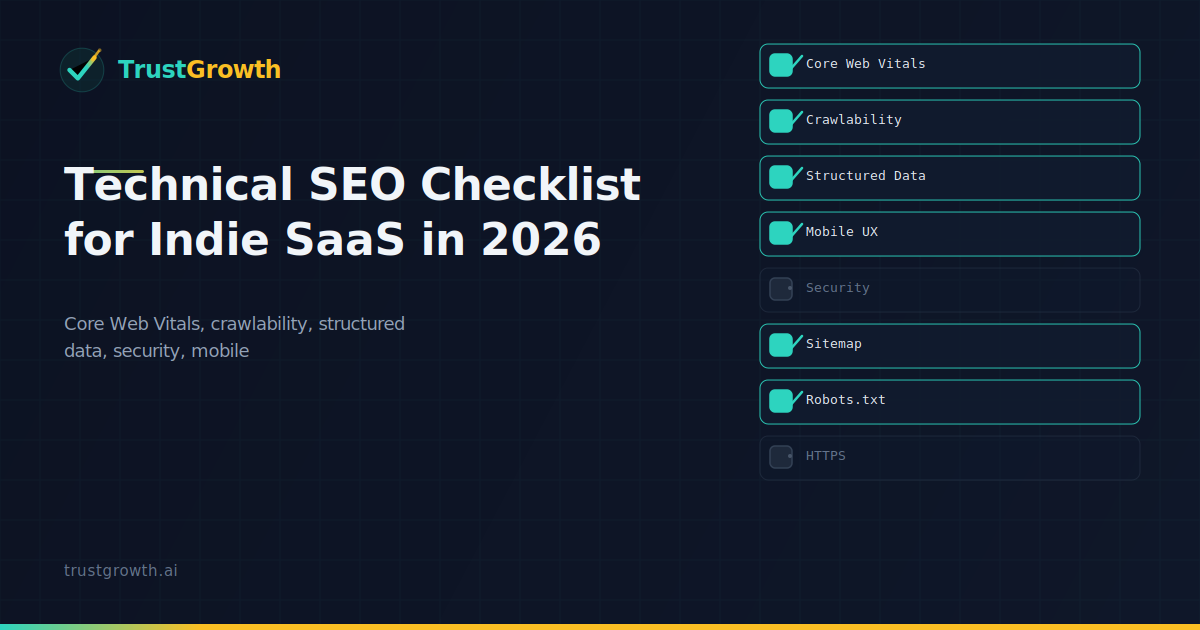
The Technical SEO Checklist Every Indie SaaS Should Follow in 2026
A practical technical SEO checklist for indie SaaS: Core Web Vitals, crawlability, structured data, security, and mobile experience.
Article highlights
- Estimated reading time: 3 minutes
- Published on: March 28, 2026
- Last updated: March 29, 2026

Article
Technical SEO isn't glamorous, but it's the foundation everything else sits on. If your site is slow, broken, or hard for Google to crawl, no amount of great content will save your rankings.
Here's a no-nonsense checklist for indie SaaS founders who want to get the technical basics right.
Core Web Vitals
Google's page experience signals are table stakes now. Check these three metrics:
- LCP (Largest Contentful Paint) — under 2.5 seconds. Optimize images, use CDN, reduce server response time.
- INP (Interaction to Next Paint) — under 200ms. Minimize JavaScript, defer non-critical scripts.
- CLS (Cumulative Layout Shift) — under 0.1. Set explicit dimensions on images and embeds.
Run PageSpeed Insights on your top 5 pages. Fix the worst offenders first.
Crawlability
Make sure Google can actually find and index your pages:
-
robots.txtisn't blocking important pages - XML sitemap exists and is submitted to Search Console
- No orphan pages (every page is linked from at least one other page)
- Canonical tags are correct (no self-referencing loops, no pointing to 404s)
- Internal links use consistent URL formats (trailing slash or not, www or not)
Structured Data
Schema markup helps Google understand your content. At minimum, implement:
- Organization — your company name, logo, social profiles
- WebSite — enables sitelinks search box
- Article — for blog posts (author, date, headline)
- FAQ — for FAQ pages (each question/answer pair)
- BreadcrumbList — navigation path for each page
Use Google's Rich Results Test to validate your markup.
Security and Trust
- HTTPS everywhere (no mixed content warnings)
- Security headers: HSTS, X-Content-Type-Options, X-Frame-Options
- Privacy policy and terms of service pages exist and are linked from footer
- Contact information is accessible
Mobile Experience
- Responsive design works on all screen sizes
- Touch targets are at least 48x48 pixels
- No horizontal scrolling on mobile
- Font sizes are readable without zooming (16px minimum)
Monitoring
Set up alerts so you catch issues before they hurt rankings:
- Google Search Console email alerts for coverage issues
- Uptime monitoring (UptimeRobot, Pingdom, etc.)
- Weekly check of Core Web Vitals in Search Console
- Monthly crawl with Screaming Frog or Sitebulb
The TrustGrowth Approach
TrustGrowth automates most of this checklist. Our audit pipeline checks technical signals alongside E-E-A-T factors, giving you a single score and prioritized fix list. Connect your Google Search Console account and get your first audit in 60 seconds.
FAQ
What are Core Web Vitals?
Core Web Vitals are three performance metrics Google uses to measure user experience: LCP (Largest Contentful Paint) for loading speed, INP (Interaction to Next Paint) for interactivity, and CLS (Cumulative Layout Shift) for visual stability.
What is the ideal LCP score?
Google recommends LCP under 2.5 seconds for a good score. Optimize images, use a CDN, and reduce server response time to achieve this.
How do I check if Google can crawl my site?
Verify your robots.txt isn't blocking important pages, submit your XML sitemap to Google Search Console, ensure all pages are linked internally, and check that canonical tags are correctly implemented.
What structured data should a SaaS site have?
At minimum, implement Organization schema (company info and logo), WebSite schema (enables sitelinks search), Article schema for blog posts, FAQ schema for FAQ pages, and BreadcrumbList for navigation.
How often should I run a technical SEO audit?
Run a comprehensive audit monthly using tools like Screaming Frog or TrustGrowth. Check Core Web Vitals weekly in Google Search Console, and set up alerts for coverage issues.
Know your site's real SEO score
Free GSC-verified audit, E-E-A-T scoring, and AI-powered content strategy.
Get Started Free